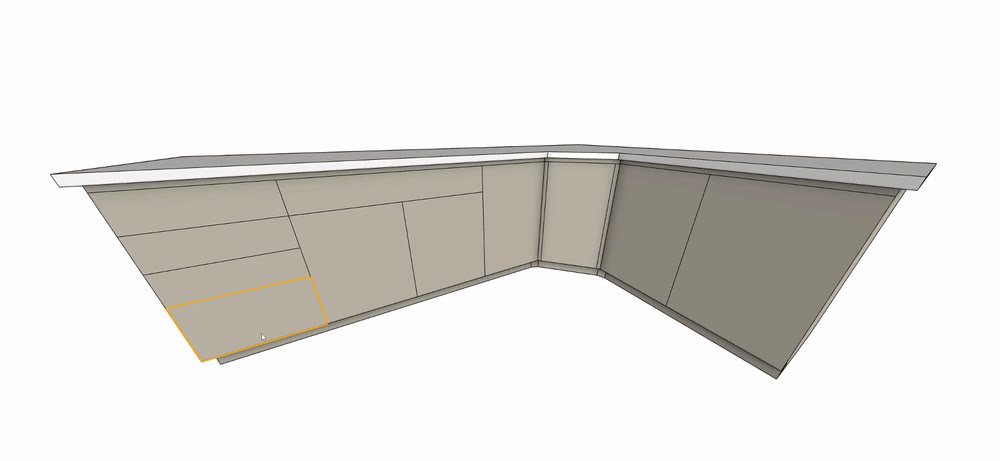
CABINET FRONTS
Click a face.
Get a front.
Hover a rectangular cabinet face and click to generate a front using your current style and settings.
A SKETCHUP EXTENSION BY INVEL TOOLS
Fronts and hardware.
Without the repetitive work.
Model the cabinet box your way. Click a face to get a door or drawer front, then click the front to place a pull or knob.
Slab and Shaker fronts, one pull, one knob. No account or key needed.
V2.7 · Windows · SketchUp 2017–2026 desktop
SketchUp 2027 and macOS unverified. Web unsupported.
HOVER. CLICK. DONE.
Made for design intent, interiors, and rendering—not CNC-ready drawings.CABINET FRONTS
Hover a rectangular cabinet face and click to generate a front using your current style and settings.
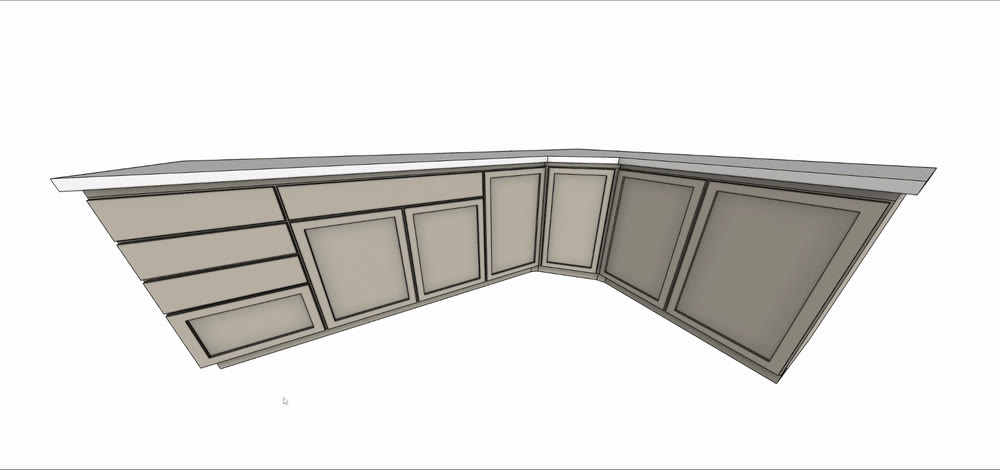
HARDWARE
Click an EZ Cabinet front and use the 3×3 placement grid to position pulls or knobs quickly and consistently. Choose from seven standard pull mounting spacings.
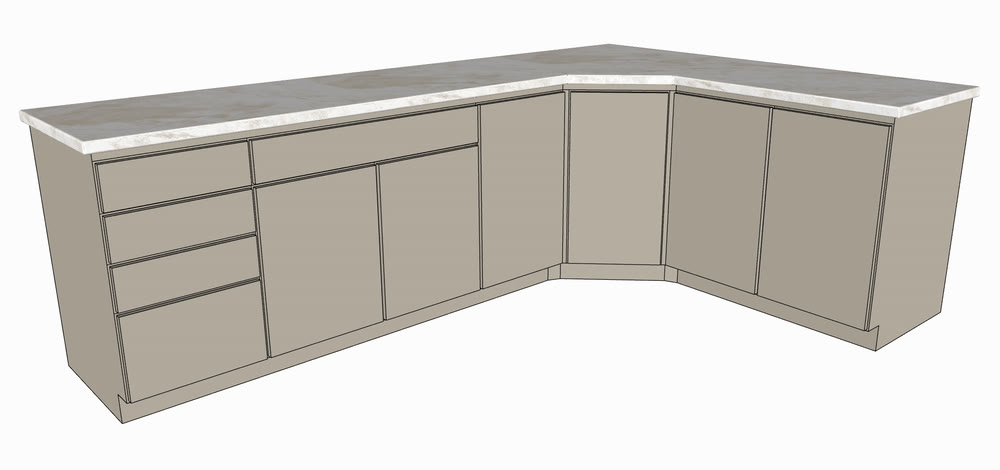
STYLES
Seven front-style families, Round and Cathedral arch options, and a built-in hardware library. Try Slab and Shaker free; Pro opens up the full collection.
Slab and Shaker cabinet fronts, one pull, and one knob. Make something with the same point-and-click tools before you buy.
MORE DESIGN CHOICES. THE SAME SIMPLE TOOLS.
Get the full cabinet-front and hardware collection, a lifetime EZ Cabinet Pro license, and future Invel Tools extensions.
Slab + Shaker fronts · 1 pull · 1 knob
Five more cabinet-front styles. Decorative Panel, Square Raised, Arched, Double Arch, and Glass. Round and Cathedral options for both arch families.
Five more pulls + five more knobs. Expand your hardware choices with six pull styles and six knob styles in total.
Fine-tuned molding styles. Optional inside and outside molding, with adjustable width and depth for a more detailed finish.
No. You model the box; EZ Cabinet adds doors, drawer fronts, and hardware. Divide the cabinet front into rectangular faces for the layout you want. It’s made for design intent, interiors, and rendering—not fabrication or CNC-ready drawings.
Windows with SketchUp 2017–2026 desktop. SketchUp 2027 and macOS are unverified; try the free version before purchasing. SketchUp for Web cannot run this extension.
Free includes Slab and Shaker fronts, one pull, and one knob, with the 3×3 placement workflow and basic pull sizing. Pro unlocks five additional front families, molding, and the full six-pull/six-knob library. Molding requires Pro, including on Slab and Shaker fronts. Free needs no account or key, for personal or commercial modeling.
EZ Cabinet checks for newer releases and can download and install them inside SketchUp. You can also use Check for updates beside the version in Settings or under Extensions → EZ Cabinet. It has been resubmitted to Extension Warehouse and is under review, not approved or available there yet. Your license does not depend on Warehouse distribution.
Your license key appears on the page after Stripe checkout. Copy it or save it as a text file. In EZ Cabinet Settings, click License, enter the key, and activate. The $36 one-time license is lifetime, includes future Invel Tools extensions, and does not turn into a subscription.
A license covers one installation at a time and can be transferred from the License tab. Pro needs internet for activation and periodic validation, with up to seven days of offline use after successful validation.
Email support@inveltools.com from the address you paid with and we’ll help recover your key. Include your receipt reference if available. Keys are not currently emailed automatically.
Start with the free styles. No account or license key needed.
DOWNLOAD EZ CABINET FREE LOOKING FOR DECK BOARDS OR WALL SLATS? EXPLORE THE FREE TOOLS →